Coach and driver scheduling software
An accepted quote becomes a departure to organise. Netfleet helps you assign a coach and its drivers, identify unavailable resources and send the driver the information needed for departure. Scheduling stays connected to the trip record.
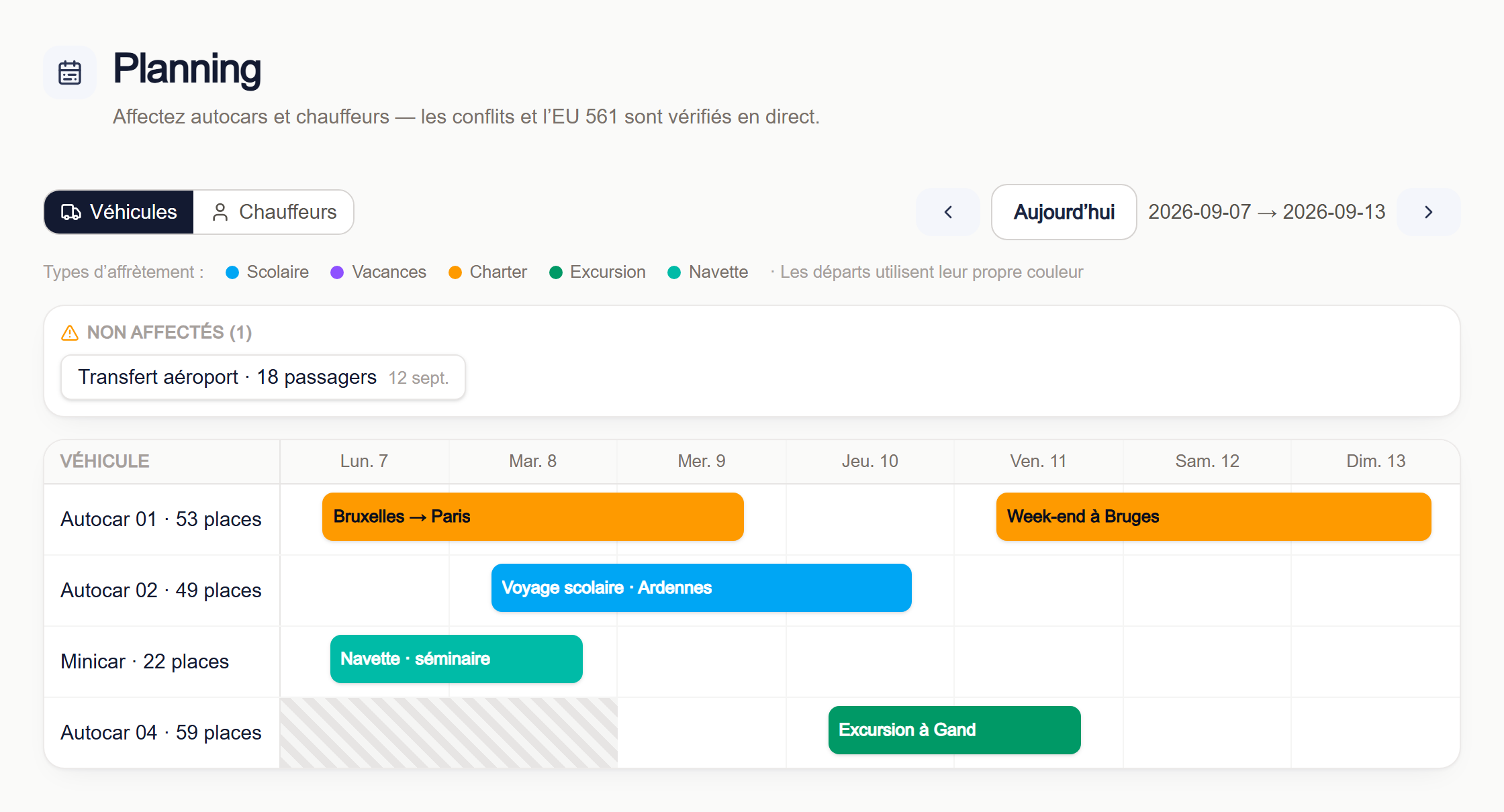
Assign resources to the right departure
Find the trips that need organising and select the vehicle and drivers. The planning view shows assignments over time. Compare the journey’s requirements with recorded availability without copying the customer’s trip into a second tool.
Catch overlaps before departure
Assignment checks flag conflicts between jobs, maintenance periods and recorded absences. Fleet and driver documents also have expiry tracking. Keep unavailable periods and document dates current so these checks work from accurate information about your operation.
Prepare a run sheet the driver can use
Once the assignment is confirmed, use the notification action to send the driver a run sheet. The mobile link provides the itinerary, vehicle, crew and passenger count. Review stops and times before sending the departure information to the driver.
Prepare your schedule
- Confirmed departures and their times.
- Available vehicles and maintenance periods.
- Drivers, their absences and contact details.
14 days free. No credit card or setup fee.
Frequently asked questions
What happens if the same coach is already assigned?
The assignment check detects the overlap and blocks the conflicting assignment. You need to change the vehicle or timing before confirming.
Is this live GPS tracking?
The planning view organises the jobs and resources recorded in Netfleet. It does not display live GPS positions for your coaches.
Does the driver need to use the office software?
The notification sends a link to a phone-friendly run sheet. The driver’s email address must be recorded and email delivery configured.